

The three lists
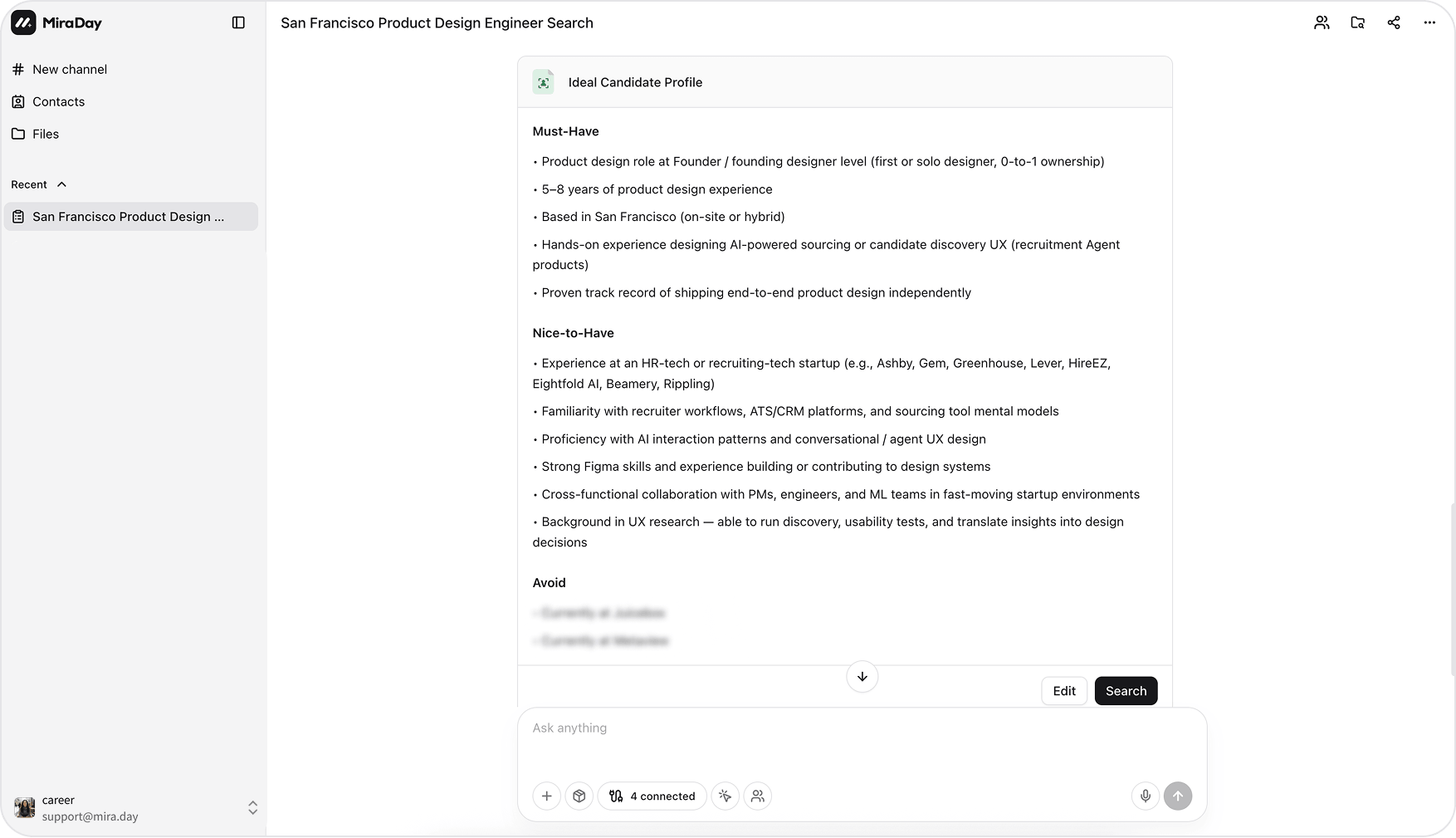
The lists are independent, and the same criterion shouldn’t sit in two of them. Any list can be empty, as long as one isn’t.
Keep protected characteristics out of your criteria. Age, gender, race, religion, nationality, disability, and similar traits aren’t valid requirements: Mira is designed not to filter or rank on them, and in most markets using them in hiring criteria is unlawful.
Hard filters vs reasoned criteria
You don’t have to sort your requirements into “filters” and “fuzzy” yourself. Inside Must-Have, Mira reads each row and decides how to use it:- Literal filters for things that map to a field: a title, a seniority, a location, a company.
- Reasoned criteria for the rest, the implicit ones like “took a product from 0 to 1” or “high-growth background”, which Mira interprets rather than keyword-matches (see How MiraDay Searches).
Review, edit, and confirm
Mira proposes the Ideal Candidate Profile on a card before it searches. You’re in charge of it:- Click Edit to change any list: add a Must-Have, delete a row and re-add it under Nice-to-Have, or add a competitor to Avoid. While editing, Undo and Redo step through your changes.
- When it looks right, click Search. Whether you took it as-is or edited it first, the search runs against the profile on the card. Criteria you delete stay out of the search.
Change the profile after a search
Once results come back, the profile stays at the top of the results panel as a collapsed Ideal Candidate Profile bar that shows how many must-have, nice-to-have, and avoid criteria it holds. Expand it to add, edit, or remove criteria one by one, then click Search (it turns active once you’ve changed something). Mira starts a new search in the conversation with the updated profile; the earlier results and their profile stay as they were. If the previous search is still running, Mira asks whether to Wait for it to finish or Start new search right away. You can also keep adjusting the profile by telling Mira in the conversation.Tips
- Put non-negotiables in Must-Have, not Nice-to-Have. A requirement in Nice-to-Have won’t gate anyone out; it only boosts.
- Use Avoid for what rules a candidate out, like a specific competitor or an off-target industry, rather than burying it in the description.
- Keep each row to one atomic criterion, so Mira can weigh them cleanly.
What’s next
- How MiraDay Searches: how the confirmed profile drives a multi-source search.
- Inside a Candidate Profile: how to read the candidates that come back.
- How MiraDay Matches Candidates: how MRE reasons about your criteria.